Orchestrate every shell like a control room.
ShellOrchestra is a source-available server orchestration platform for operators who want fleet control without installing agents on every machine.
Manage the herd
Server profiles, detection, status polling, package workflows, scripts, logs, and batch operations from one browser.
No remote agents
ShellOrchestra uses standard SSH and system utilities. Managed servers do not need a proprietary daemon.
Virtual desktop per server
Persistent browser desktops with terminals and focused apps for Linux, macOS, Windows, and Proxmox hosts.
See ShellOrchestra in action
ShellOrchestra combines fleet inventory, trusted SSH access, browser terminals, and server-specific desktops into one self-hosted control plane.
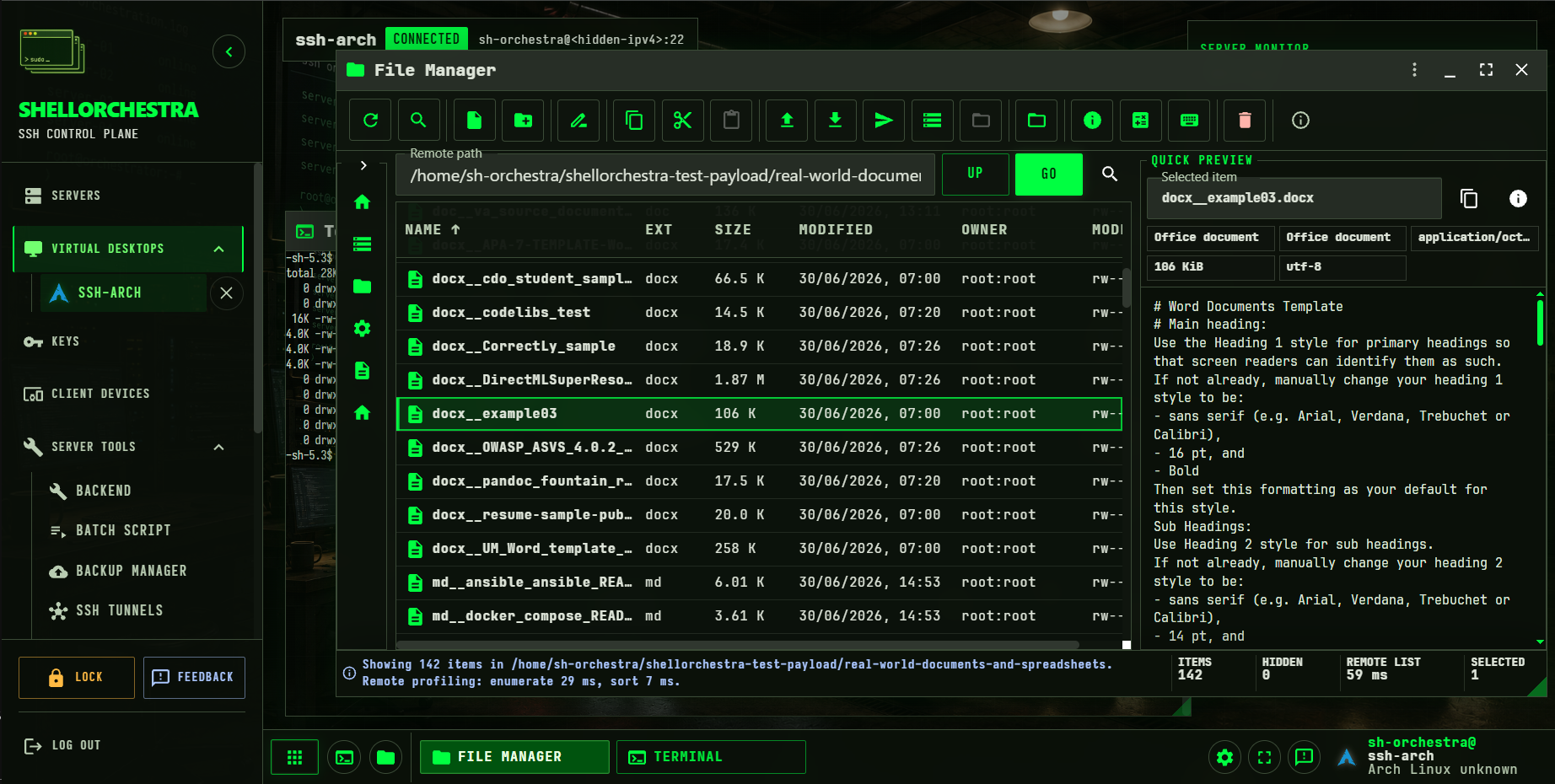
One workspace for server operations
Work with inventory, server desktops, terminal apps, file previews, and live system context without installing agents on managed servers.
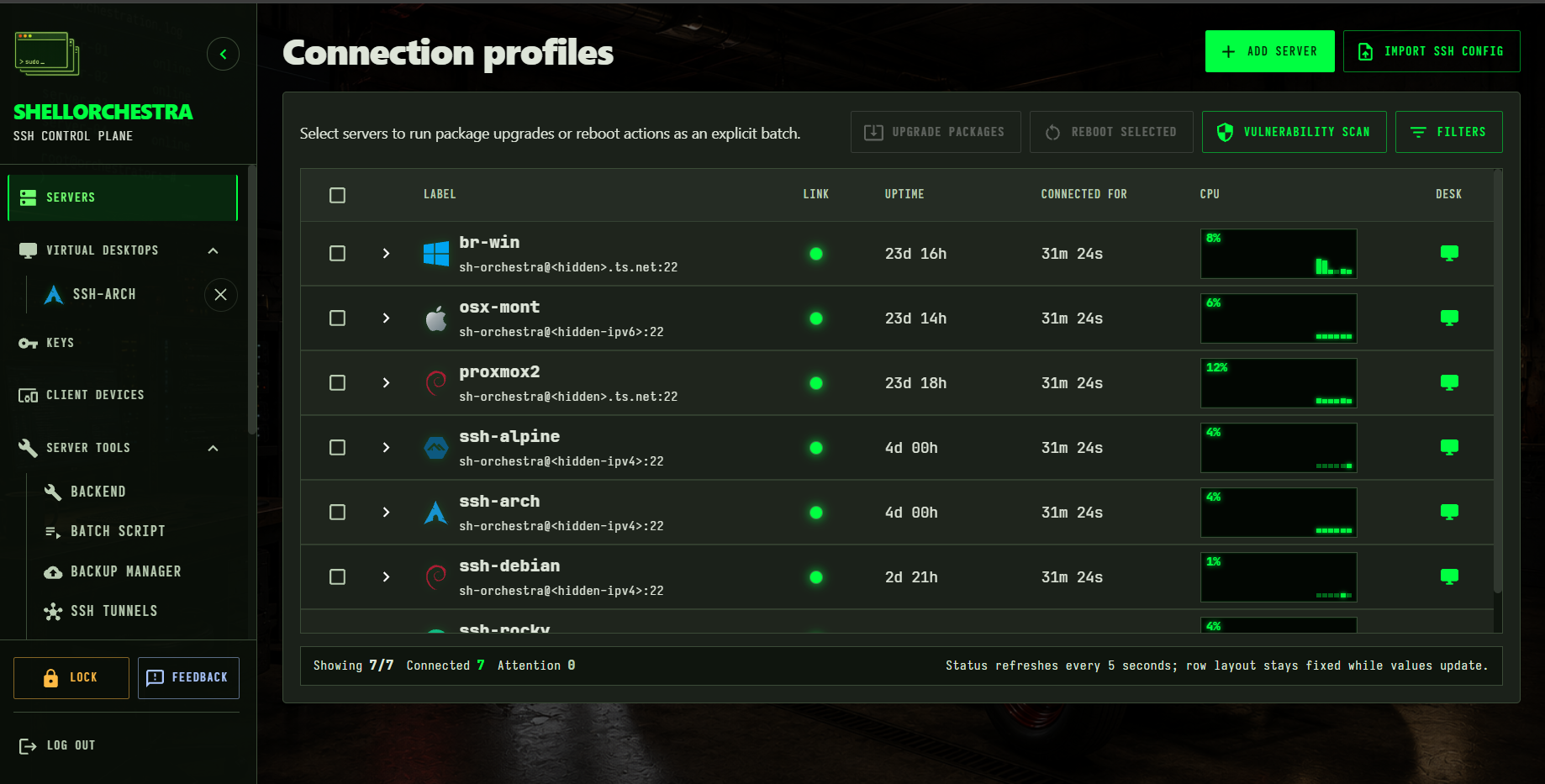
Fleet control from one screen
Connection profiles show live status, uptime, CPU history, desktop launch actions, batch operations, and vulnerability scanning entry points.
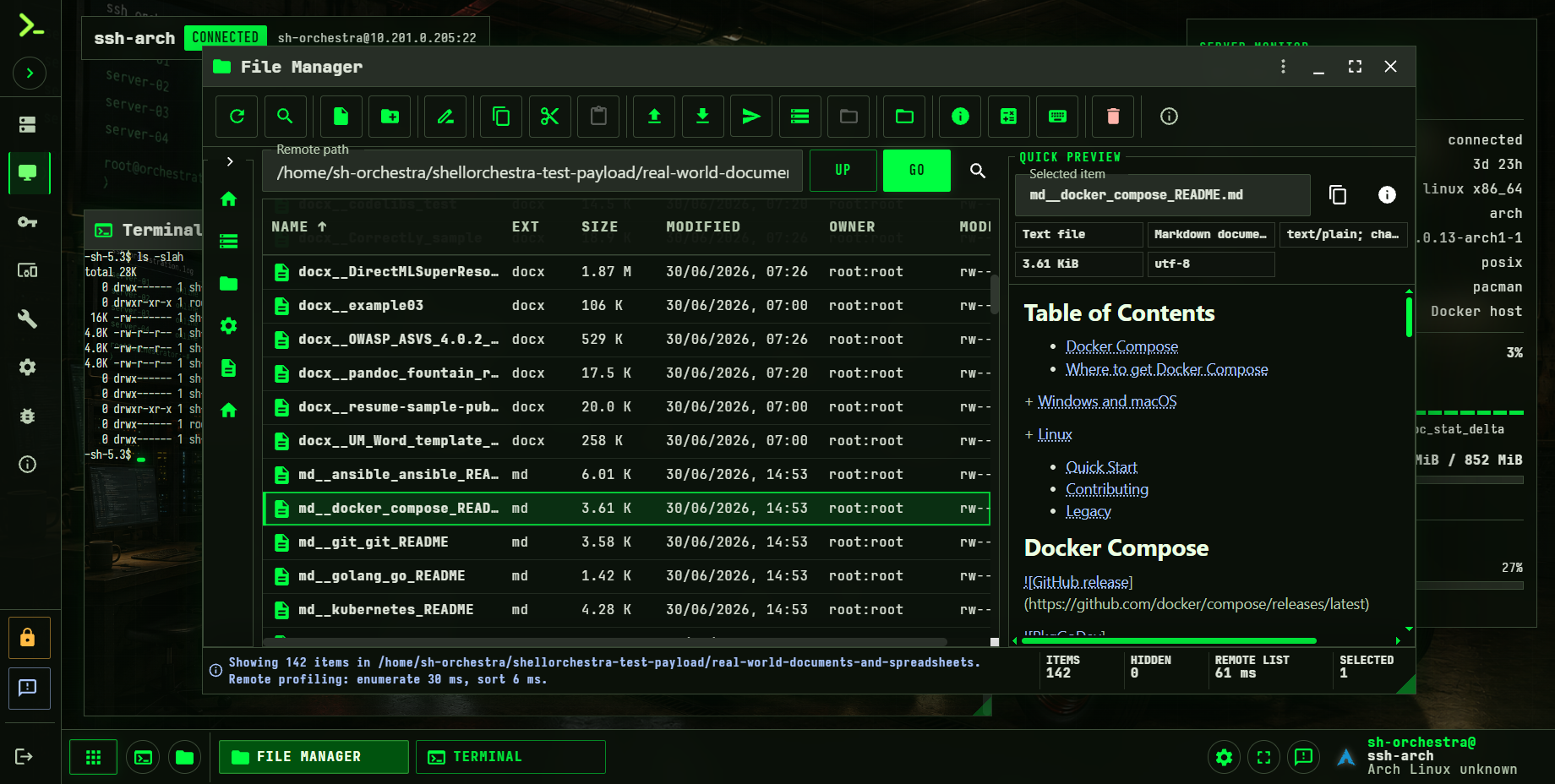
A virtual desktop for every server
Open a server desktop in the browser, keep terminals and apps together, preview files safely, and work without installing agents on managed machines.
Why ShellOrchestra is different
Split-key trust
Server-access keys are protected by backend state and trusted client devices, so normal operation requires both sides of the trust model.
External script catalog
Operational scripts live as external files by target platform and package manager, not as hidden hardcoded commands.
Fleet-first UI
The main product is built for many servers: status, tags, virtual desktops, batch jobs, package management, and host-specific apps.
Cross-platform targets
Linux distributions, Proxmox, macOS, Windows OpenSSH, and LAN/private-network deployments are first-class product targets.
Install and upgrade paths
Official Docker installs get signed one-click updates through the local updater service. Windows app installs use the same signed release manifest with a Windows updater service. Manual installs remain supported with clear runbooks instead of hidden mutations.